Script Mode
Script mode buttons run Python code when clicked.
Useful for IK/FK switching, toggling rig options, selecting control sets, or any custom automation.
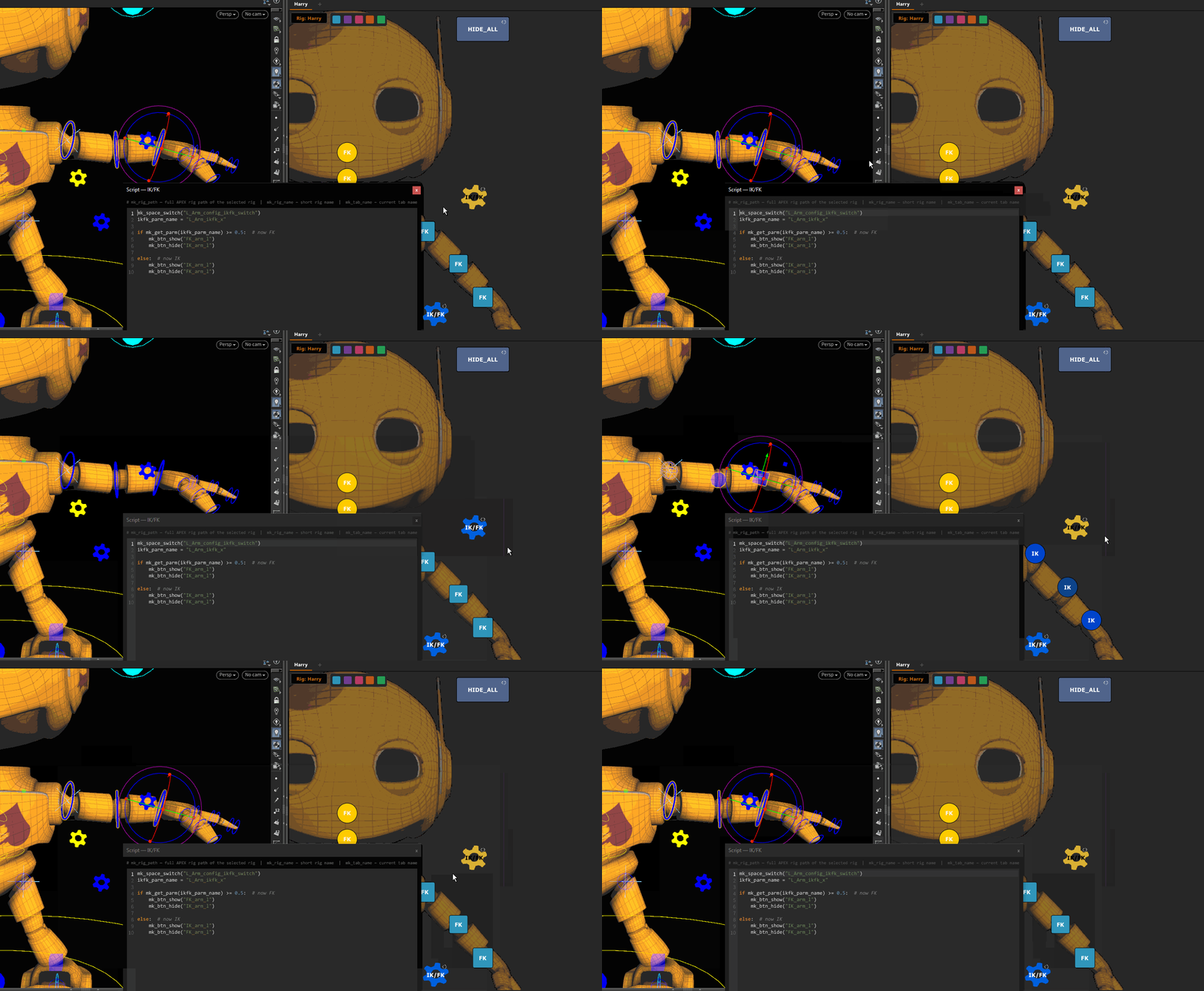
Setting Up a Script Button
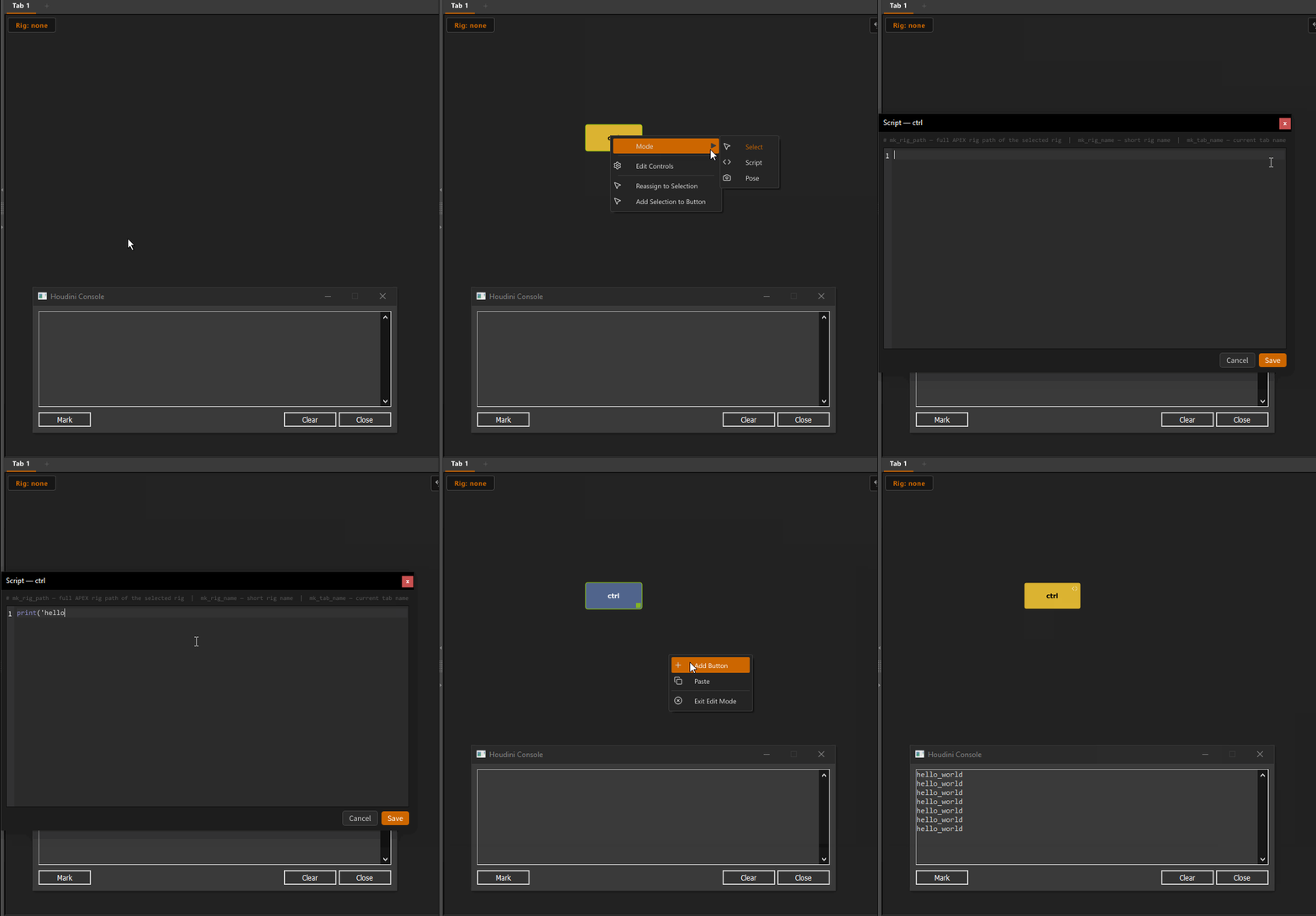
- Right-click a button → Script (works in any mode)
- Right-click the button → Edit Script
- Write your code in the editor and click Save
The editor supports Python syntax highlighting, line numbers, and 4-space indentation.
Injected Variables
Available automatically — no import needed:
| Variable | Type | Description |
|---|---|---|
mk_rig_path |
str |
Full APEX rig path of the selected rig. Empty if set to None. |
mk_rig_name |
str |
Short rig name (first path segment). |
mk_tab_name |
str |
Name of the tab the button lives on. |
Injected Functions
| Function | Description |
|---|---|
mk_get_parm / mk_set_parm / mk_toggle_parm |
Read, set, or toggle a rig graph parm. |
mk_space_switch |
Match-and-switch (IK/FK snap). |
mk_show_ctrls / mk_hide_ctrls / mk_toggle_visibility |
Show, hide, or toggle control visibility. |
mk_select_ctrls |
Select controls in the viewport. |
mk_btn_disable / mk_btn_enable / mk_btn_hide / mk_btn_show |
Control picker button state by tag. |
mk_sync_ctrls |
Force control manager to flush pending visibility changes. |
mk_state |
Raw APEX animate state — for advanced use. |
All functions operate on the current rig automatically. See Script API Reference for full signatures and examples.
Examples
IK/FK Toggle
import apex.ui.statecommandutils as scu

if not mk_rig_path:
    print("No rig selected")
else:
    rig = scu.getSceneData(mk_rig_path)
    parms = rig.graph_parms
    current = parms.get("L_arm_ikfk_x", 0.0)
    parms.set("L_arm_ikfk_x", 0.0 if current >= 0.5 else 1.0)
Select All Controls on Current Rig
import apex.ui.statecommandutils as scu

if mk_rig_path:
    ctrl_mgr = scu.getSceneControlManager()
    all_ctrls = [p for p in ctrl_mgr.controls if p.startswith(mk_rig_path)]
    scu.sendCommand("selectControls", {
        "controls": all_ctrls,
        "controls_in_tree_format": False,
    })
Tab-Specific Logic
Notes
- Always check
mk_rig_pathbefore using it — it is empty when the rig menu is set to None. - Errors print to the Houdini Python console. Add
print()statements to debug. - Use
importnormally for anything else (hou,apex, etc.).
For the full helper and API reference see Script API Reference.