Button Properties
Select one or more buttons in Edit Mode to edit their properties in the right-side edit panel.
Label
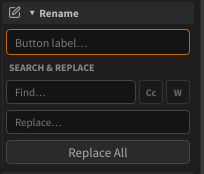
Type a new name in the Rename field and press Enter.
Use Search & Replace to rename multiple buttons at once — supports match case and whole word options.
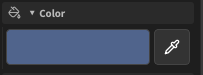
Color
Click the color swatch to open the preset palette.
Click the pipette icon to open the HSV color picker for a custom color.
Shape
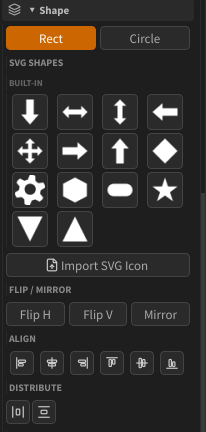
| Shape | Description |
|---|---|
| Rect | Rectangle (default) |
| Circle | Ellipse |
| SVG | Custom shape imported from an SVG icon file |
Use Flip H / Flip V to mirror the shape horizontally or vertically.
Mode
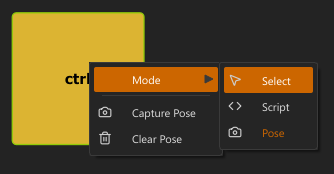
Sets what the button does when clicked in select mode:
| Mode | Description |
|---|---|
| Select | Selects APEX controls |
| Pose | Applies a stored pose |
| Script | Runs a Python script |
Size
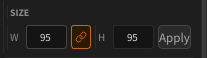
Use the W and H spinboxes to set an exact pixel size.
Enable Lock W=H to constrain proportions.
Controls (Select Mode)
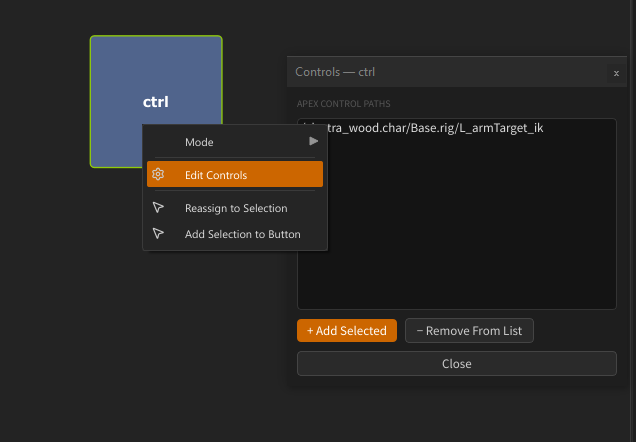
Shows the APEX control paths assigned to the button.
Right-click the button → Edit Controls to open the Selection Manager dialog. See Select Mode for all assignment options.
Script (Script Mode)
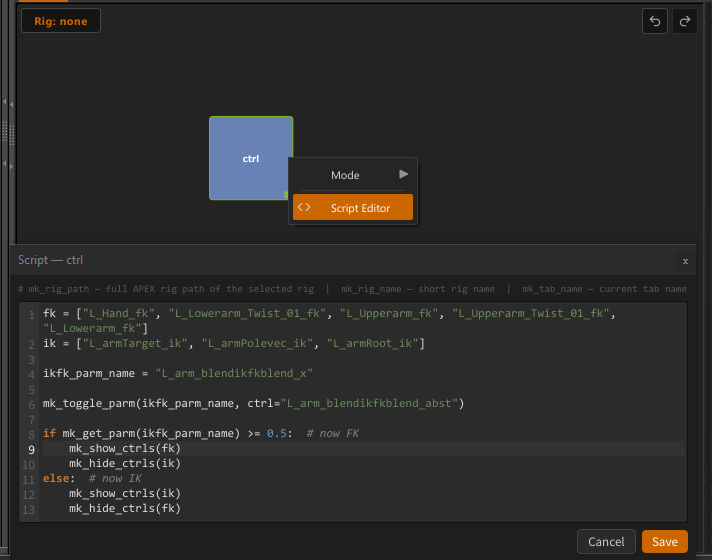
Right-click the button → Edit Script to open the code editor.
See Script Mode for full details.
Pose (Pose Mode)
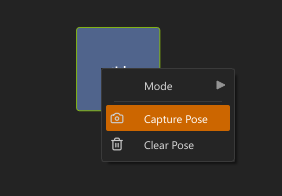
Right-click the button → Capture Pose to store the current rig pose.
See Pose Mode for full details.
Tags
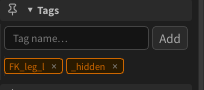
Tags are arbitrary labels you assign to buttons in Edit Mode. They are used to show, hide, enable, or disable groups of buttons at runtime via Script buttons.
Adding a tag — type a name in the Tag name… field in the edit panel and press Enter or click Add. The tag appears as a chip. Click × on a chip to remove it.
Tags are shared across a selection — adding a tag when multiple buttons are selected applies it to all of them.
Reserved tags
| Tag | Effect |
|---|---|
_hidden |
Button is hidden (invisible) in select mode |
_disabled |
Button is grayed out and non-interactive in select mode |
Script API
Use these functions inside a Script button to control tagged buttons at runtime:
| Function | Effect |
|---|---|
mk_btn_show(["tag"]) |
Show buttons with that tag |
mk_btn_hide(["tag"]) |
Hide buttons with that tag |
mk_btn_enable(["tag"]) |
Enable buttons with that tag |
mk_btn_disable(["tag"]) |
Disable (gray out) buttons with that tag |
See Script Mode and Script API Reference for full details.
← Edit Mode · Import Layout →